
Goimagine
Business Area:
- DIY
- Jewelry
- Home & living
- Bath & beauty
- Clothing
- Art & collectibles
- Fun & games
- Wedding & celebrations
- Gift certificates
Services:
Location:


Goimagine is a marketplace of handmade gifts and artisenary with the main idea around donations. 100% of profits is donated to charity. Jon, the founder of goimagine.com, an entrepreneur with a huge experience in running online businesses, chose the CS-Cart platform and our team to implement his concept into life.

The goal of goimagine is to prove that an eCommerce company can succeed by focusing on social good rather than investor profits. All of the profits from goimagine be donated to children’s charities, with our first charity being Horizons for Homeless Children. Horizons for Homeless Children is a charity that works to help alleviate the trauma and stress of homelessness on both children and their families by providing high-quality early education, vital opportunities for play, support for parents, and crucial advocacy.
Challenge
- Customize vendors’ admin pages
- Customize gift functionality
- Make design changes
- Study reasons of slow checkout
Implementing the Project
Hiding vendors’ products
Vendor panel modifications
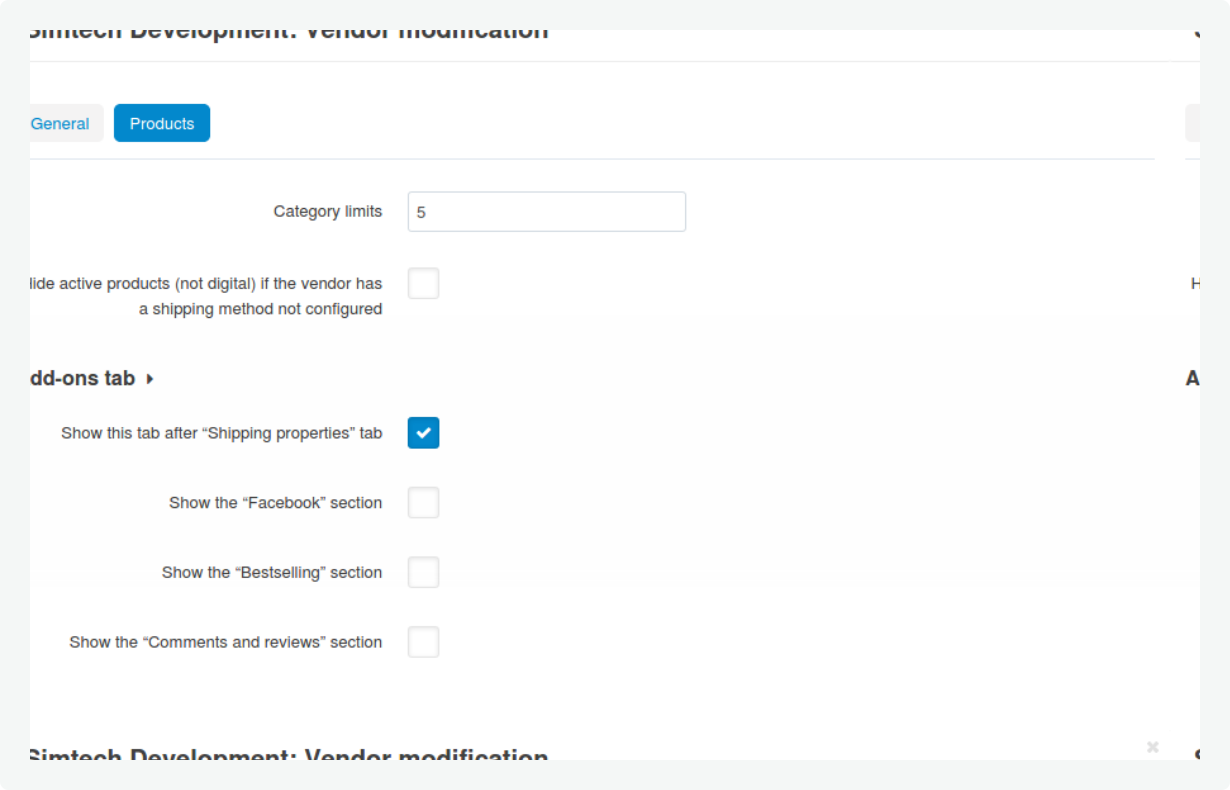
We modified the vendor admin panel to show more settings and made it more convenient for sellers to manage their dashboards. Оn the “General” tab new settings appeared:- Show the “Taxes” checkbox.
- Show the “Disabled rate areas” checkbox. When the setting is disabled, then we hide disabled rate areas for vendors on the ‘Shipping time and rates’ tab on details shipping method page.
- Show the “International U.S.P.S.” section on the configure tab for USPS Real-Time checkbox.
- “Category limits” input field. We limit vendors from being able to apply one product to unlimited categories on the details product page and import products. This limit helps to exclude any manual error from the vendor side.
- A checkbox to hide active products (not digital) if the vendor has a shipping method not configured. The setting helps to ensure that only the products with the correctly configured shipping methods are displayed in the marketplace.
- Show this tab after “Shipping properties” tab.
- Show the “Facebook” section.
- Show the “Bestselling” section.
- Show the “Comments and reviews” section.
Design changes
This modification covered the following settings:- A checkbox to show the Goimagine Marketplace Terms & Conditions checkbox at checkout.
- A checkbox to show the vendor contact information on the details vendor page.
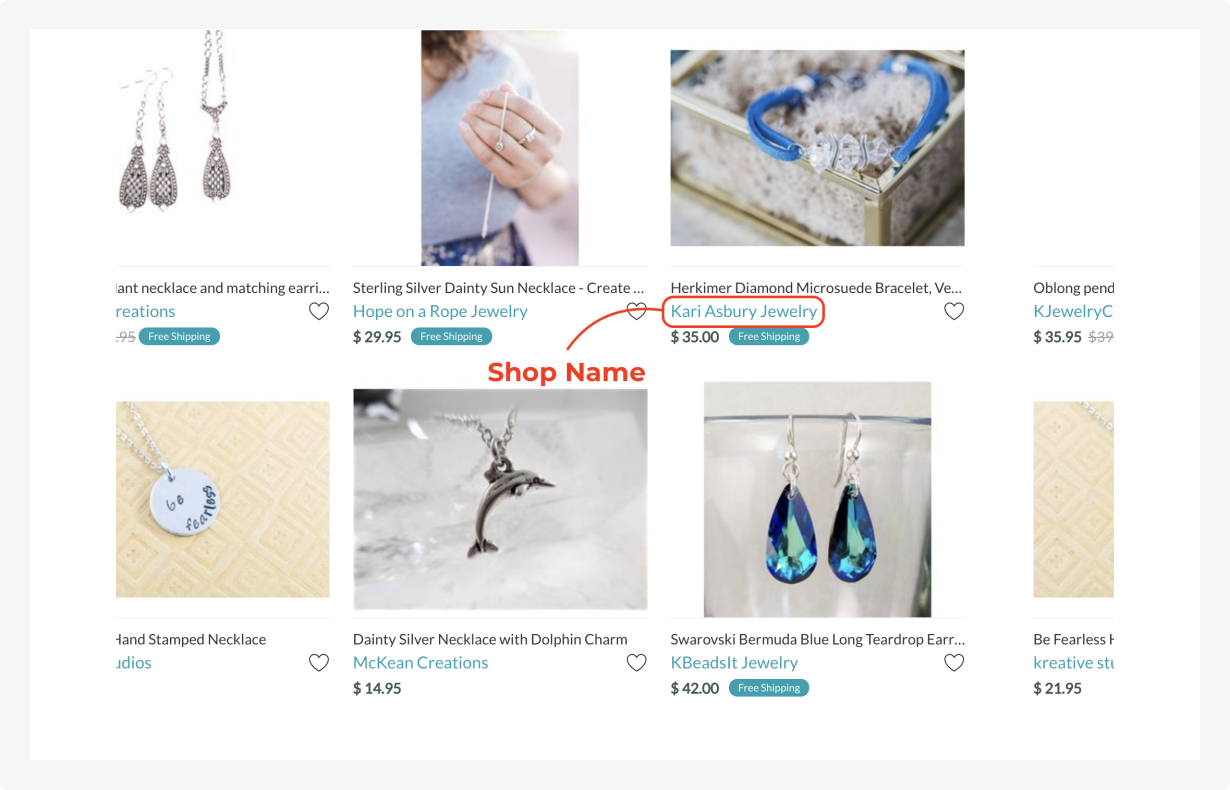
- Grid;
- List without options;
- Compact list.
Changes for the Gift recipient
Jon addressed us with a request to improve the logic of creating coupon codes for vendors. It was decided to modify the Promotions add-on to let vendors create promotions for their own products. If a shopping cart has multiple products in it from different vendors and a vendor promotion is applied, then the promo works for those products only. The implementation entailed some design changes to:- Hide SKU # from Product Page Layout;
- Change the size and ratio of the Vendor Logo;
- Show Gift Recipient Address Section on Invoice and Packing Slip;
- Align center the Vendor Banner.
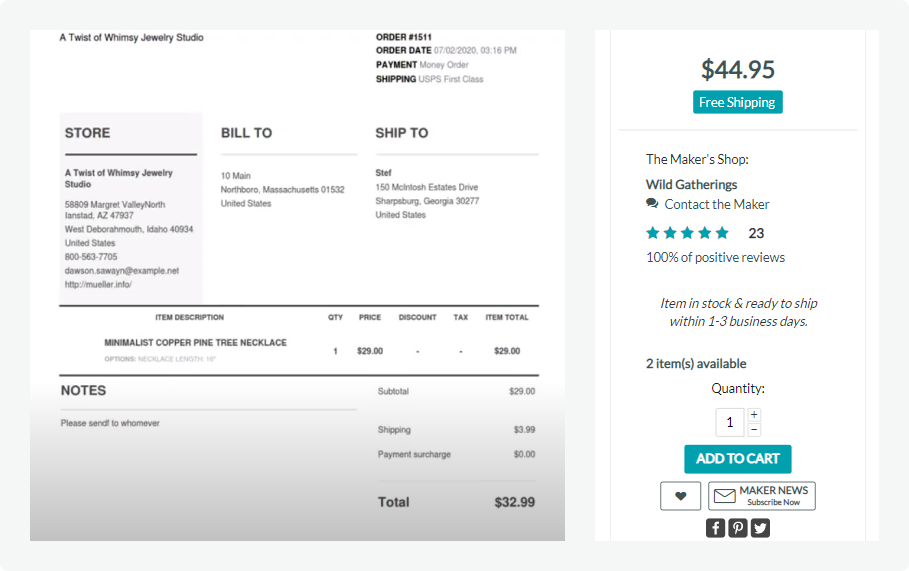

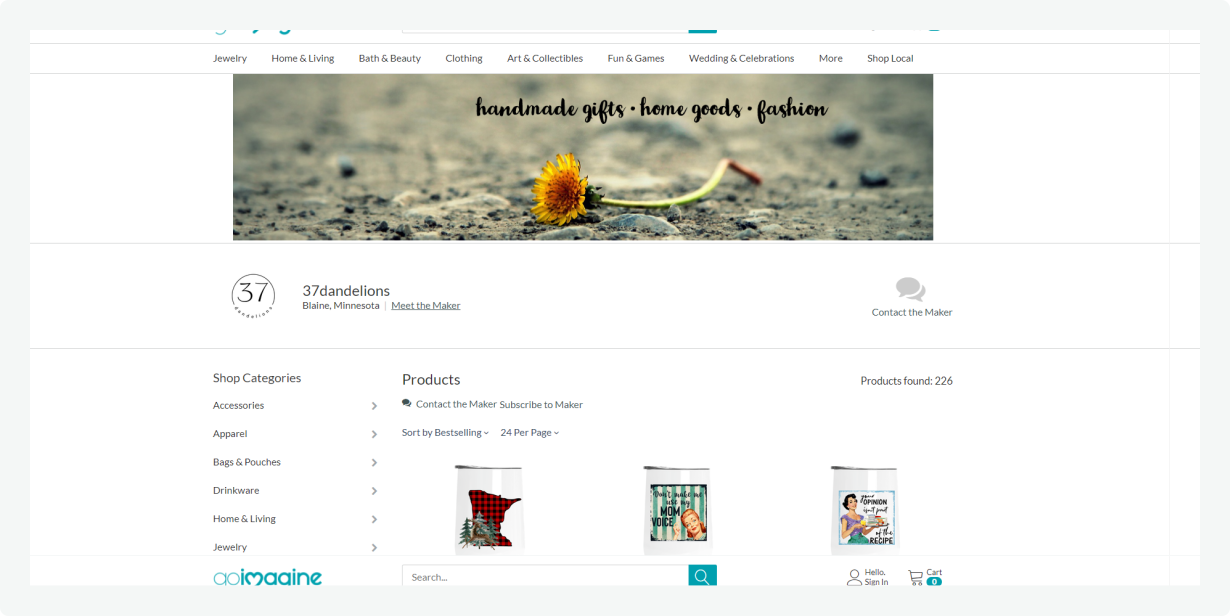
All these measures made the vendor page more clean with an intuitive interface and clear logic.
Auto filling for the MPN field
We created an add-on for auto filling the MPN field. The new script sets the value for the default Manufacturer Product Number field automatically, if it was left empty after the product creation.
YouTube video gallery modification
After buying YouTube Video Gallery, Jon came to us with a suggestion to improve the add-on and make it more fitting for his store. He would like to make a simple edit to it in the Vendor Admin Panel. It was required to:
- Remove the product setting “Replace the main image” so that vendors could not make a video into their Product’s Main Image;
- Make it infeasible to create a Youtube video tab on the product for vendors.
All these measures helped to avoid possible mistakes and moderate adding of new videos by vendors.
Slow checkout
One more request Jon sent to us was about the speed of loading the checkout page.
We conducted the CS-Cart platform performance study and did not reveal any problem with the code. Our expert recommended checking the server with the network bandwidth and addressing the current hosting provider for server issues. Jon was advised to go with another hosting. For CS-Cart and Multi-Vendors owners, we usually recommend reverting to our Cloud Hosting as this team knows the platform inside out and can better configure the server infrastructure for the sake of the optimal speed and behaviour of the platform.
Results
Things are going great. We've been steadily growing and continue to develop the marketplace to be better.